

.png)
There’s a quiet moment I think many of us who work deeply in Excel are experiencing right now.
Not a dramatic breaking point. Not a sudden failure. Just a growing sense that something around us has shifted.
For me, Excel has long been the place where problems get solved. Where ideas turn into models. Where businesses get work done. If you are like me, Excel has been more than a tool. It has been our craft, our language, even part of our professional and personal identities.
And yet, the environment around all of us and Excel is definitely changing. Leaving many of us at a crossroads.
AI can now answer questions that once sent people to our blogs and videos that drove our businesses and revenue opportunities. New platforms promise faster results, if you’re willing to start over. Our clients and colleagues want things to be easier, more visual, more“app-like.”
I have had to start asking myself questions I didn’t need to ask before.
Where does my work fit now?
Do I double down on Excel, or pivot away from it?
Is what I’ve built and learned still enough?
What’s interesting is that the spreadsheets themselves haven’t stopped being valuable. If anything, they’ve become too valuable.
They’re shared more widely. Depended on more heavily. And now we are being asked to do more with spreadsheets, than they were ever designed to do.
"Can this work online?"
"Can you set this up with user roles and permissions?"
"Can I share this outside my organization, with my clients?"
"Can I, with 100%certainty, hide my formulas and Intellectual Property from users?"
None of these questions come from doubt about Excel itself. They come from the reality that the world is expecting more in terms of how people access, interact with, and segment information. So, we as Excel experts have to adapt or risk becoming less relevant.
And when you sit with that long enough, it’s natural to start looking around at what the options actually are.
Here’s what I see many of us experimenting with:
- Keep doing what you’ve always done: Continuing to rely on familiar Excel files and processes that already work, while managing the trade‑offs that come with sharing, versioning, and protecting complex logic. This option is less of an experiment, and more of a way of avoiding the harder questions for now.
- Learn AI and try vibe coding: Unlocking speed and creative momentum by letting AI generate solutions quickly, while accepting that the logic can be hard to evaluate, and harder to confidently change once others begin relying on it. This option has potential, but I think in this case we are giving up some of our control and essentially giving up on Excel in exchange for something else not as familiar to us, if familiar at all.
- Explore low-code and no-code platforms: Offering structured ways to build applications faster, often with strong capabilities, but requiring us to adapt our thinking to new models, abstractions, and ways of working. This is again a valid choice, for some of us, but if I can address client’s modern requests while staying within Excel where I feel empowered, I much rather prefer that.
- Try the growing number of “Excel to web” solutions: Appealing for sharing spreadsheet data more easily, typically focused on publishing only allow to build applications with limited interaction, with varying degrees of flexibility when it comes to shaping how work actually flows. This gets us closer, in some cases, but not all. We get to stick with Excel, but we give up some of that ultimate control over those solutions.
I’ve tried or at least seriously considered all of these. I’ve taken courses on AI, and I’ve evaluated Excel‑to‑web approaches, looking for something that felt more like an evolution than a surgical rewrite.
Now, some of you may accuse me of being biased, and I am, but in all of this experimenting and contemplating, I keep coming back to Sheetcast. My bias is based on more than just my relationship with Sheetcast. It is based on my understanding of it.
Where Does My Work Fit Now?
While I wanted to build solutions that offered clean user experiences and smooth workflows, there was always at least one limitation of Excel Desktop or Online, VBA, Office Scripts, or Power Query or anything else in Excel that would collide with the flow I wanted to implement. It many times led me to a corner where the intended solution was not possible to achieve with Excel only, or we could stay in Excel only, but it was clunky (not fully protected, or not fully automated) or, it all was possible with Excel, but then the solution would not run online or could not be shared with users outside my organization.
When you evaluate all these challenges, you may think you or your client are at a point where you need to consider having custom software be built.
What I realized after taking some time to understand how Sheetcast works, is that this leap of jumping from a“spreadsheet solution” to a custom software solution, can be done while continuing to work with Excel.
So, why would I, and others like me, use Sheetcast to navigate the crossroads I mentioned earlier?
There are many reasons, but three stood outmost clearly for me, as key touchpoints of understanding where Sheetcast fit in with my client’s work:
- Sheetcast has resolved the growing demand for spreadsheets to do more than they were originally designed for: I can share my work securely with users outside my organization, giving access, visibility, and interaction defined clearly by user and role.
- It removed the pressure to abandon how I think in order to move forward: I didn’t need to relearn my craft or give up my identity. I still use all of my Excel skills and knowledge, and because I’m living and breathing in Excel, the platform is completely transparent to me.
- It gave me confidence that sharing wouldn’t mean losing control: I could build workbooks and allow others to access my work safely, without copying files, them breaking my logic, or exposing formulas and intellectual property, providing a level of stability, for me and my clients, that I previously couldn’t achieve.
- I no longer had to switch to trusting on something that AI built for me in a coding language that I could not audit or adjust. Sheetcast does have AI integration, if you want to use it, but it works in Excel, not in any other language you do not know. And it explains the steps it has taken so that you can verify and validate.
Once I understood these things, I was much more settled about my ongoing value to my clients.
"Can this work online?" Yes.
"Can you set this up with user roles and permissions?" Yes.
"Can I share this outside my organization, with my clients?" Yes.
"Can I, with 100%certainty, hide my formulas and Intellectual Property from users?" Yes!
Sheetcast: The Tool Every Excel Power User Didn’t Know They Needed
If you’ve ever built a very useful Excel file - one that tracks sales, manages projects, or calculates commissions - you’ve probably faced at least one of these frustrations
- Someone pastes over your formulas or deletes a row and breaks everything!
- You send your workbook to multiple people, and suddenly there are five different versions of it floating around.
- You share your precious workbook with someone who decides to sell it as if it was their own work.
- You try to hide sensitive data or protect your formulas, but it’s never truly secure.
- You built a brilliant Excel solution with VBA, but now your boss or client wants it to work online, on multiple devices with several users using it simultaneously.
- Your colleagues need to use your fabulous Excel tool, but they do not like Excel and are extremely afraid of touching your file.
Sound familiar? Sheetcast solves all these problems.
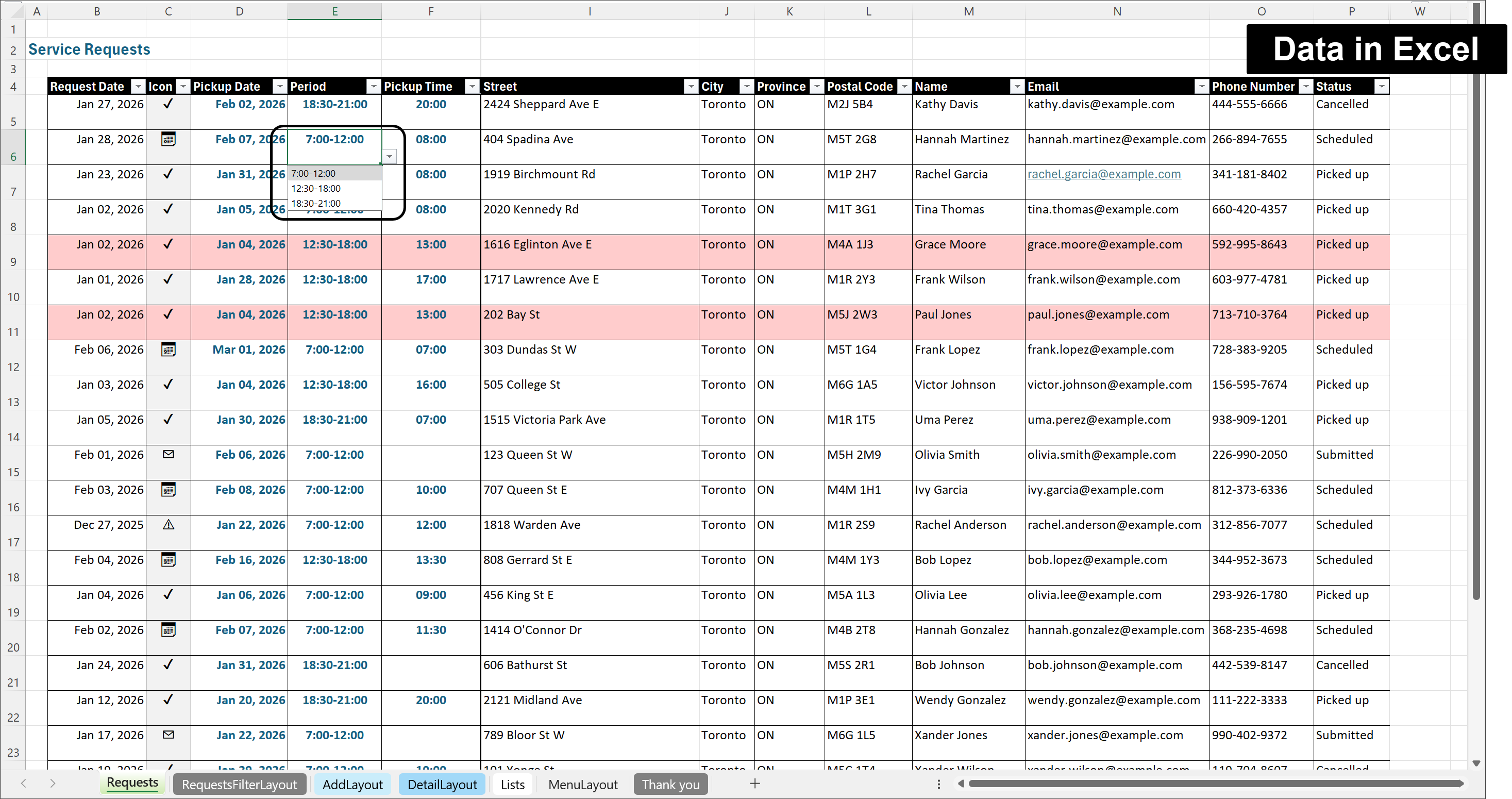
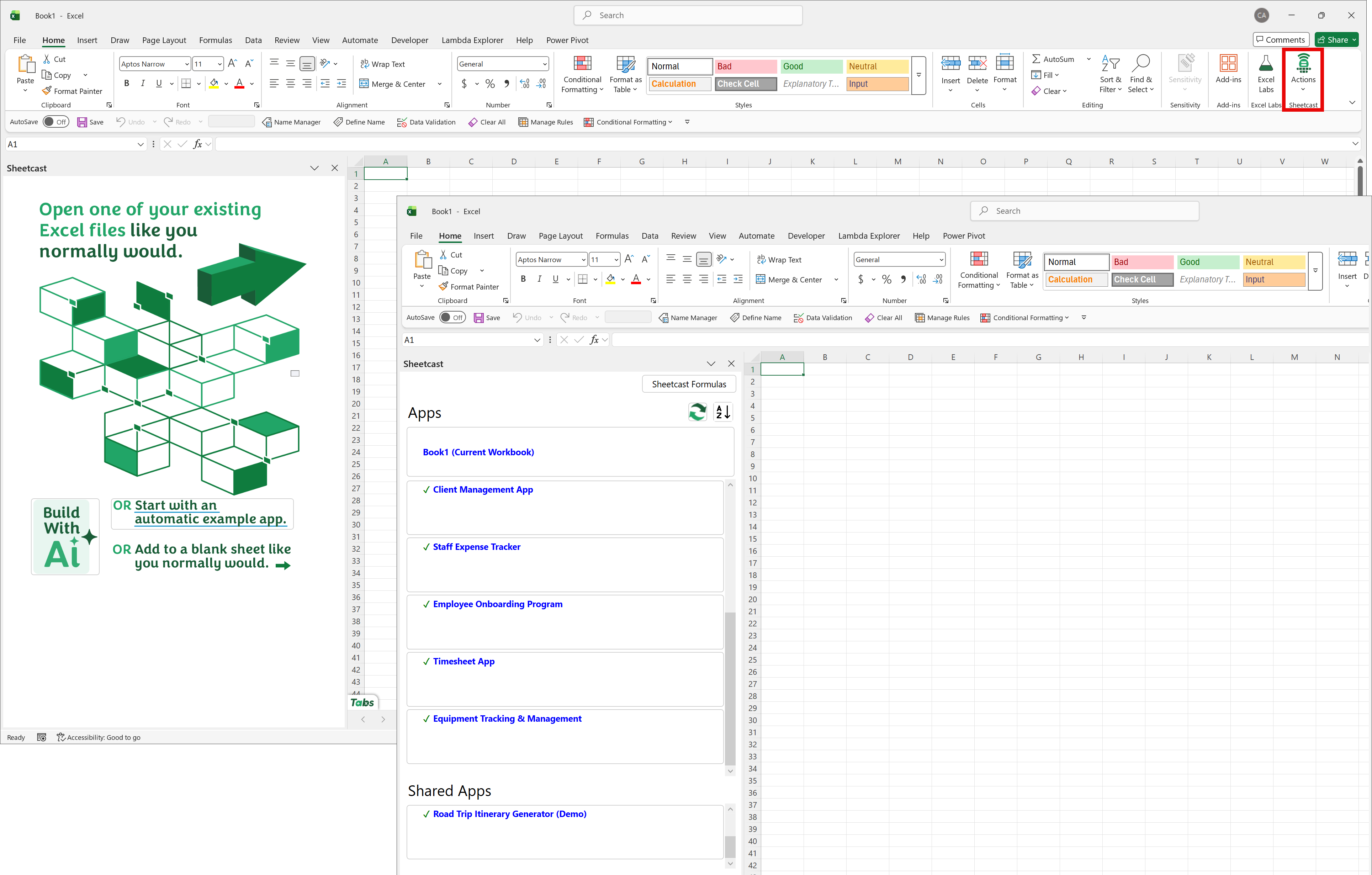
Sheetcast is an add-in for Excel that lets you turn your Excel workbook into a fully functional custom web application.
To understand what I mean by this, think of any application or online platform you use: your CRM, your accounting program or the platform hosting that online course you are taking or selling. To use these platforms, you usually need to login, and then you will have access to certain functionality depending on your role. But you never get to see the application’s code behind the scenes nor are you able to break it or modify it, right? And if you do not have the correct credentials to see the underlying data, you will not be able to access it either.
This is the type of business solution functionality that you can create with Sheetcast from within Excel.
.png)
You set up your data structure and calculations in Excel like you always do, and then you use Sheetcast to create different views of your file on the web.
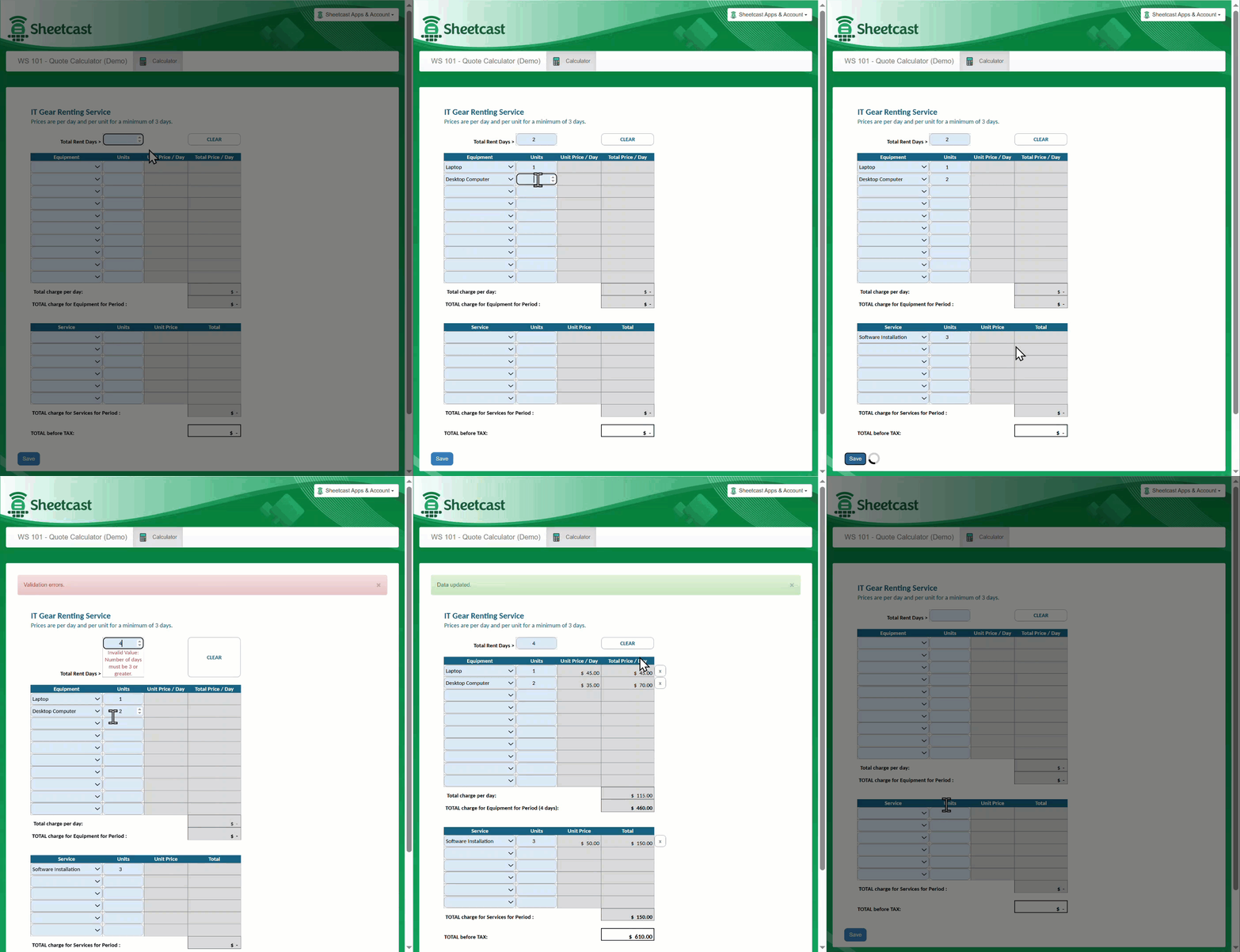
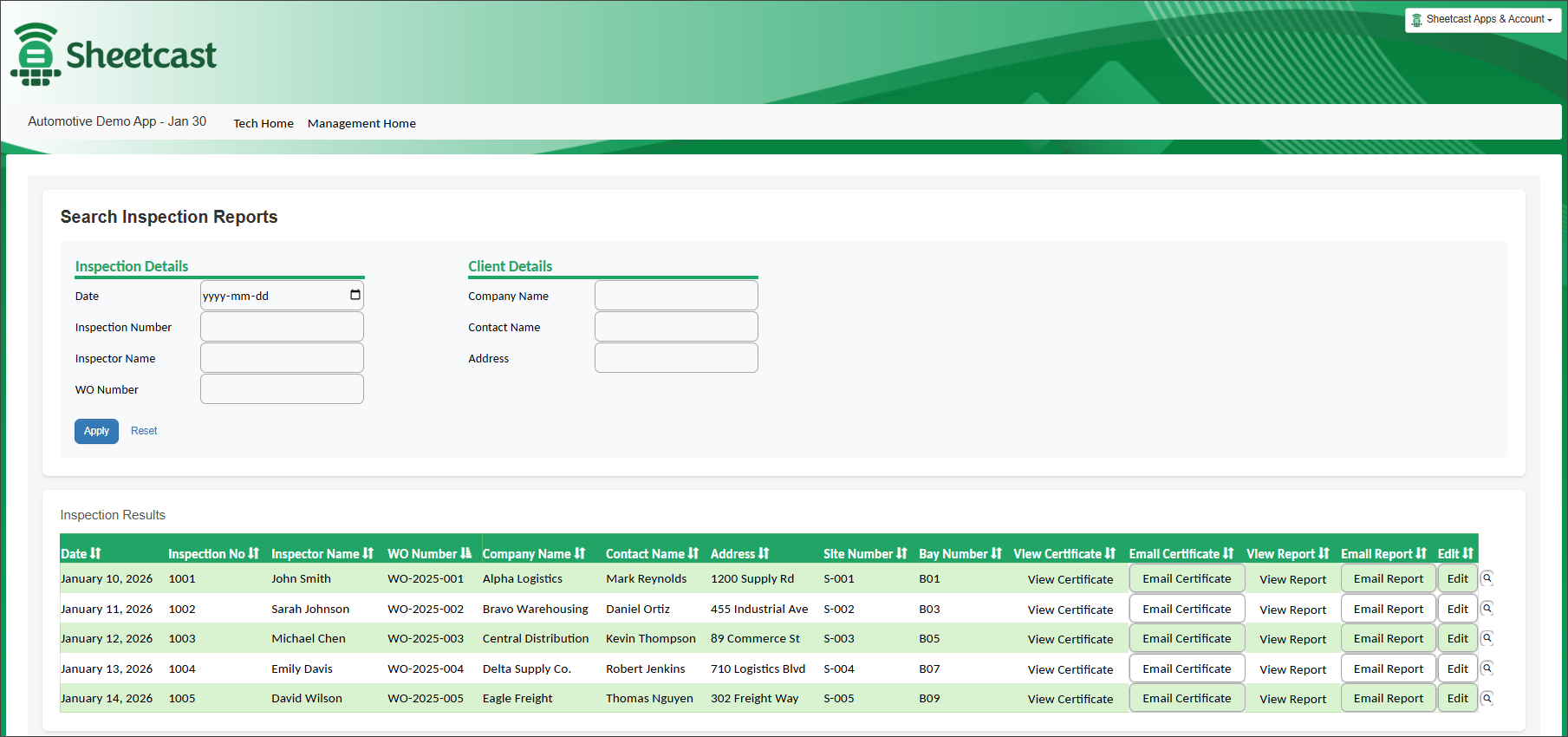
For example, you can create two web pages that both show the data you have in an Excel Table, but one page allows the user to change the data, and the other one only allows them to view it. Different people will have access to these two pages, according to what you define on the Sheetcast pane. And these two pages are always in sync.
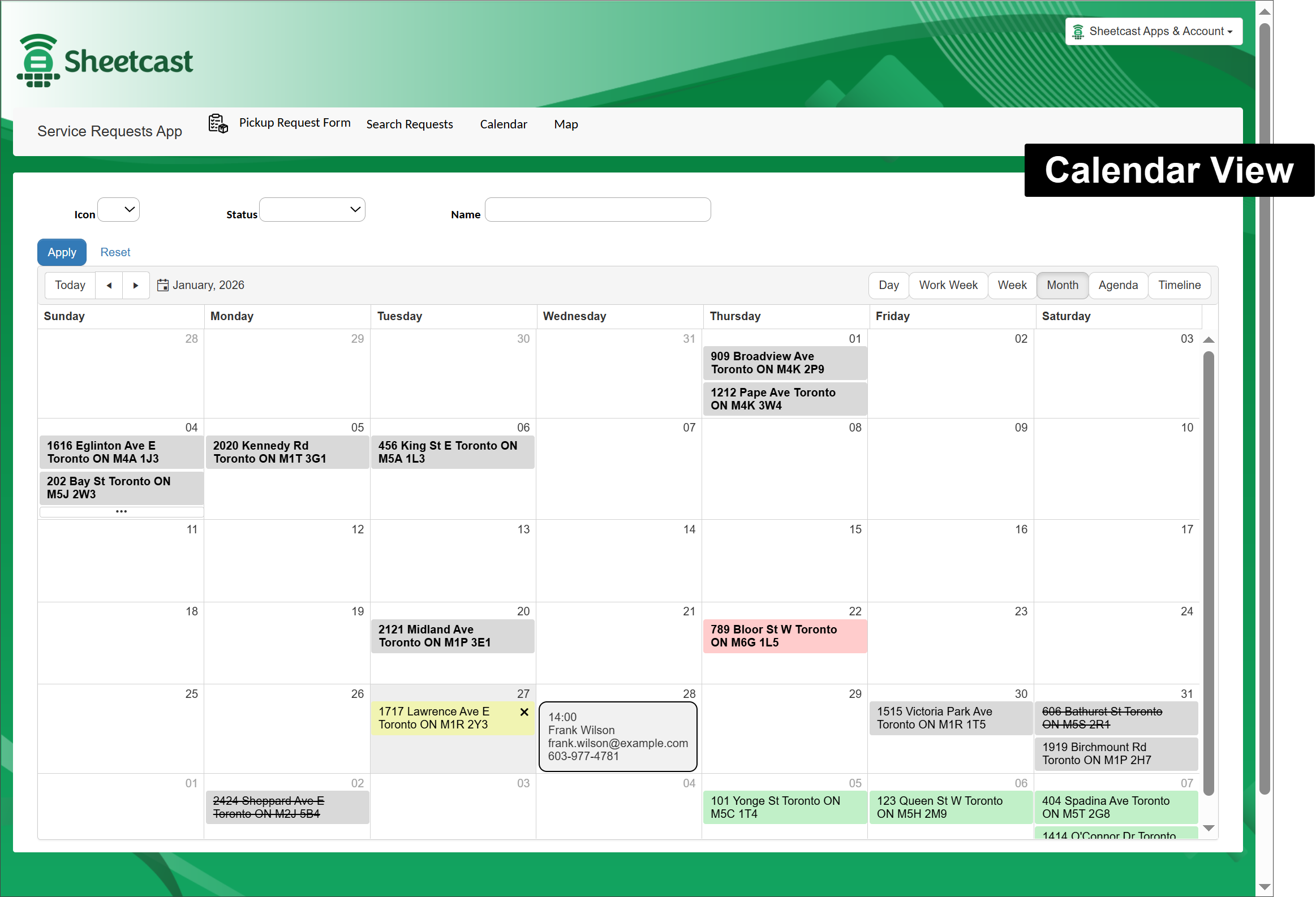
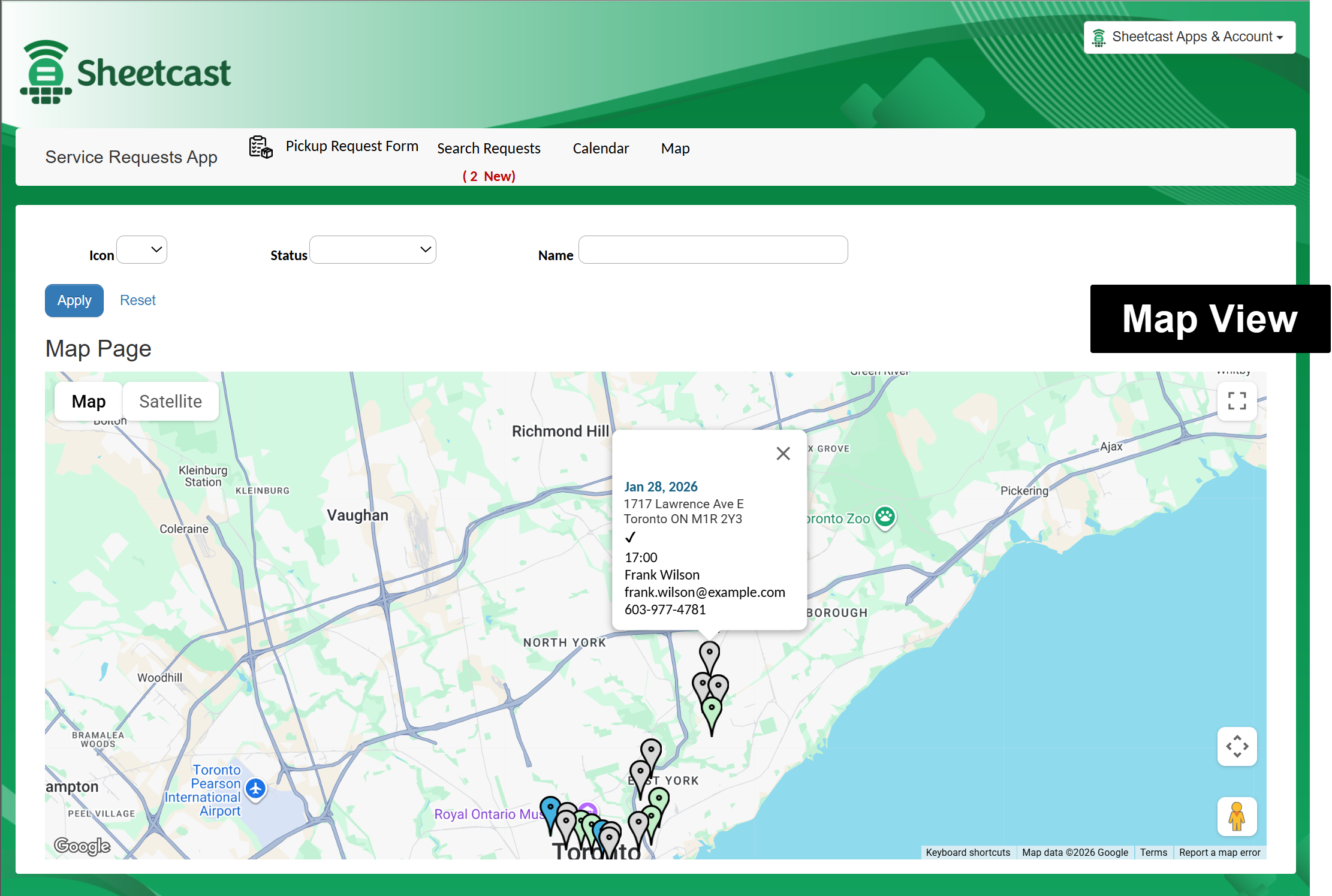
Other examples of different views of your data are calendar pages (if your data has dates), map pages (if your data includes locations) and automatic form pages to collect users’ input for your Excel table.
.png)
.png)
All the web development work to create those web applications is taken care of by Sheetcast (in seconds!). You do not have to learn how to code for the web. So, Sheetcast is a no-code solution for the web part of your application; but the bones and lungs of your app live in Excel. Excel becomes your programming language! And I do not mean VBA! I mean the use of functions, and other Excel functionality like Tables and PivotTables, Conditional formatting and Data Validation Rules. This is your programing language to build with Sheetcast!
.png)
You build, test, and tweak your logic exactly the way you already do in Excel, and Sheetcast helps you build the different views you want for your data, create input forms, and define who has access to which views and then it publishes your solution online, ready to be used.
Protect What Matters: Your Work and Data
With Sheetcast, your formulas, calculations, and logic stay hidden from end users. They can interact with your app - input data, view reports, update records, but they can’t see or break your formulas. That means:
- No need for password-protected sheets or files (the end user does not deal with your Excel file).
- No more formulas that stop working because someone replaced them with hardcoded values.
- No risk of someone overwriting a validation rule or deleting your carefully built conditional formatting.
- Your intellectual property stays safe.
On the data protection side, one of the most powerful things Sheetcast adds to Excel is roles and permissions.
You can decide which data you want to share and with whom, and exactly what each user can read-only or edit:
- Give your managers full visibility of the data.
- Allow clients to view reports without touching or seeing the underlying data.
- Let employees only see their own records (Yes, you read that right! You can define access credentials at the row level! This is something not possible to do with Excel only while published online).
And you can give access to your app to users outside your organization without having to figure out which type of Microsoft account they have. Actually, final users do not even need a Microsoft account or Excel at all. All they need to use your application is a device with a browser and access to the internet, whether a desktop, tablet, or phone.
Each user gets their own personalized experience, all powered by the same Excel workbook you already built.
No VBA. No extra plugins. No complicated IT setup.
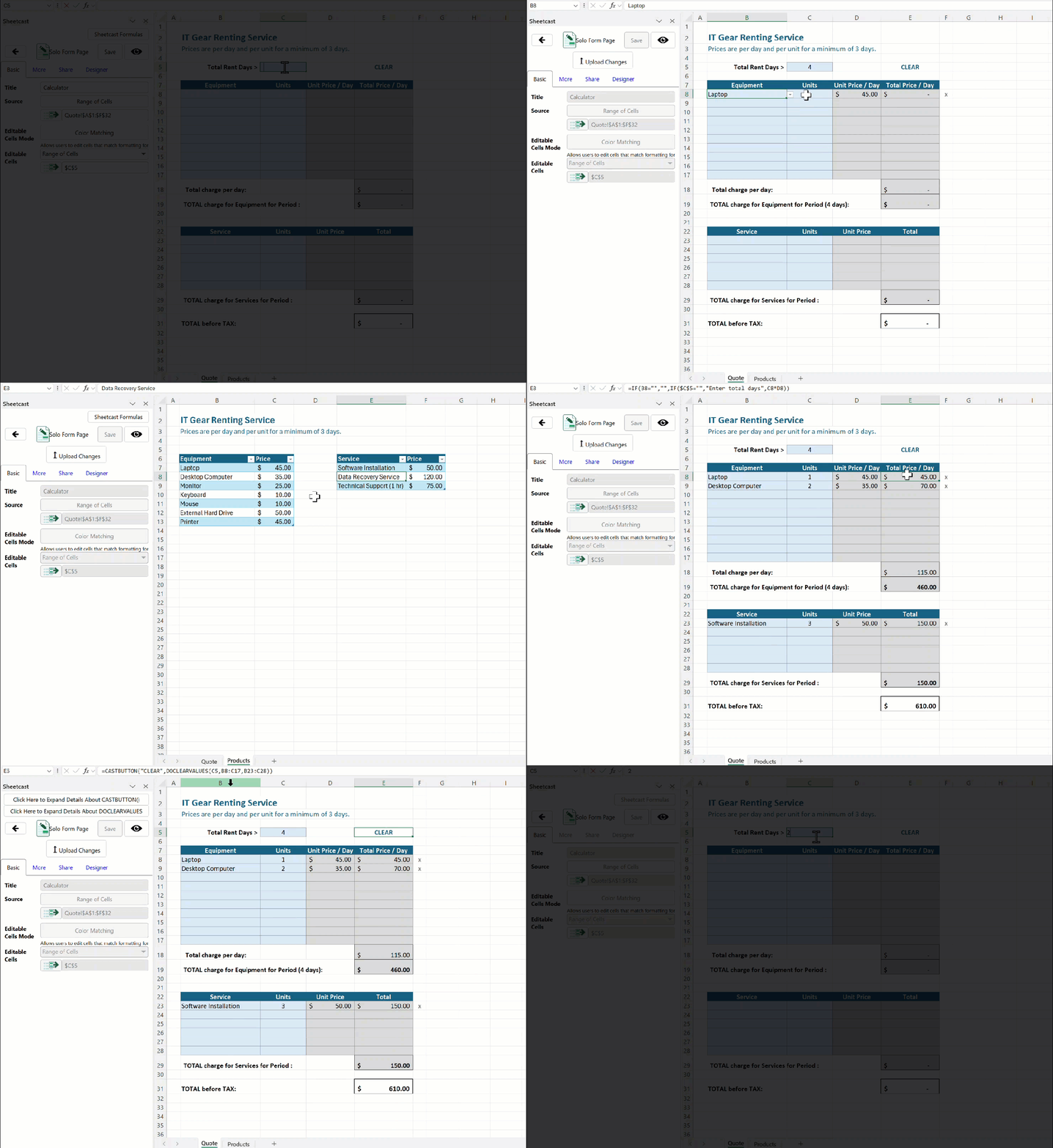
Share Without Sending Files
We’ve all been there: version 1.0, version 2.1, version “Final_FINAL.” With Sheetcast, that problem disappears.
Once your workbook becomes a Sheetcast app:
- You simply share a web link. (For example, check out the app on this link and feel free to interact with it.)
- Everyone uses the same live version.
- Any updates you make go live instantly.
- Behind the scenes there is an Excel file (your file and nobody else’s!) that you can access anytime to make changes to your app. You may also want to open that workbook to check the data in it, but Sheetcast offers other ways to connect to that data, including using Power Query from a separate Excel file.
.png)
Custom Software at Excel Speed within an Affordable Budget
Traditional software development can cost tens or even hundreds of thousands of dollars, and that’s before updates, hosting, and maintenance. Plus, you may need to get your IT department involved, which usually slows down the implementation process.
This is why many companies end up subscribing to business tools available in the market. But in the end, they often end up paying for several programs, each one to take care of a portion of their workflow only (and offering functionality they do not need.) And worse, many times these separate tools do not integrate between themselves, leaving manual work to be done to transfer data from one part of the process to the other.
Businesses would prefer to have their custom software working exactly the way they want and nothing more - perfectly aligned with their business processes. You can build it for them at a fraction of the price of custom-built software or the cost of maintaining several subscriptions.
Sheetcast also takes care of all the domain and hosting costs, which also adds up to the savings.
And the best part? Sheetcast is free for up to 5 users if you build the app yourself.
This means you can start serving clients and collecting revenue before you spend a single dollar and you can monetize your work by selling access to your applications.
Bonus: Built-in AI Power (Without Extra Cost)
I mentioned before that Sheetcast also includes free AI tools to make your life easier.
- The AI Builder Plan Mode helps you design and troubleshoot solutions.
- The Act Mode helps you build faster.
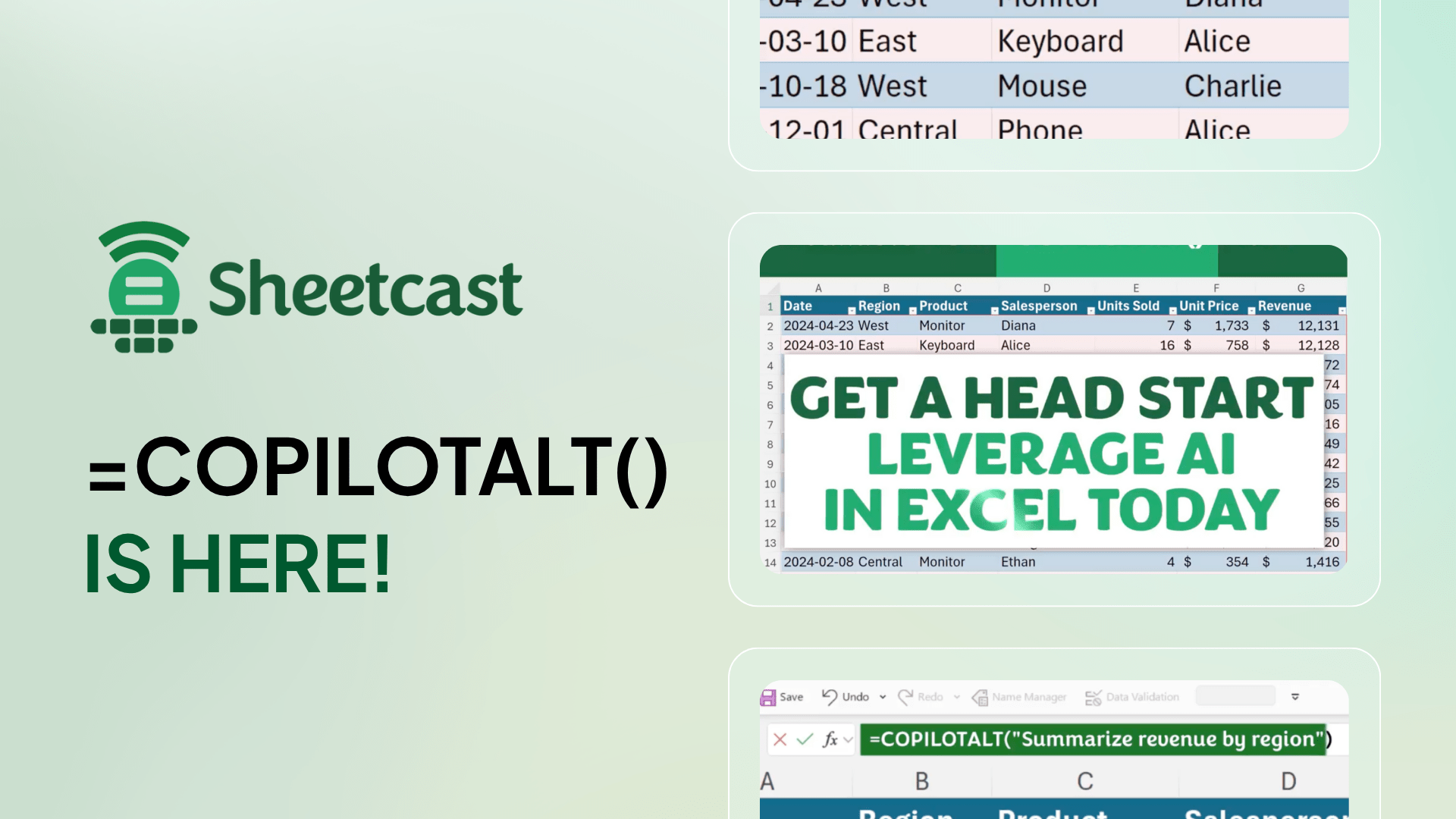
- And the COPILOTALT() function (equivalent to Microsoft’s COPILOT() function) brings AI directly into your formulas, all without needing a Microsoft Copilot license.
This means free AI assistance that enhances both your Excel and your Sheetcast work, available right from within Excel.
.png)
Where Sheetcast Fits in the Marketplace
There are many low-code and no-code tools out there, but Sheetcast is in a category of its own because it is built for Excel users. It doesn’t replace Excel - it extends it.
Instead of forcing you to learn a new tool, Sheetcast empowers you to take what you already know and make your Excel solutions scalable, secure, and shareable.
For anyone who loves Excel, Sheetcast feels like a natural evolution - not a detour.
The Bottom Line
If you’re hitting the limits of what Excel alone can do - constant file sharing, broken formulas, version chaos, or security concerns - then I invite you to check out Sheetcast.
Remember: you already know the “code.” Sheetcast just gives you a smart, safe and convenient way to share your Excel solutions and make them more accessible to your collaborators.
Ready to See It in Action?
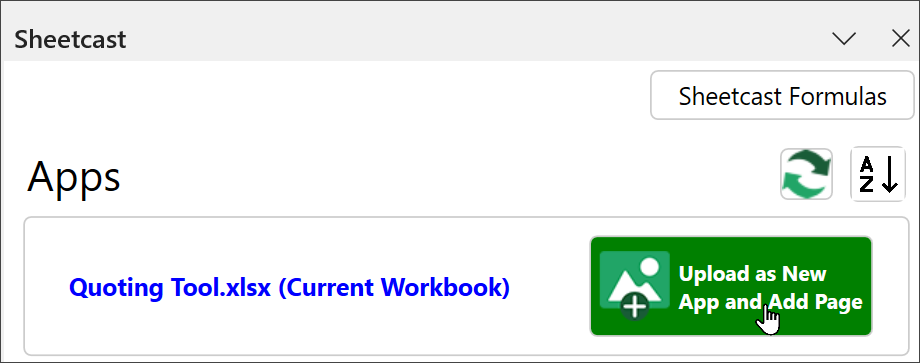
You can create an account for free and download Sheetcast to start to create your apps right away.
If you prefer some guidance, join me on one of the free Sheetcast training sessions and see how quickly your Excel models can turn into real web apps without code, without risk, and without losing control of your work.
I can’t wait to see the apps you create. Let’s start Sheetcasting!

Latest Articles
.png)
How to Build Your First AI Agent in Excel
Leap into Excel’s AI revolution with COPILOTALT by Sheetcast
The art of storytelling in Excel
Join the Master Club
Your exclusive all-access pass to our entire digital learning experience for a whole year.
.png)